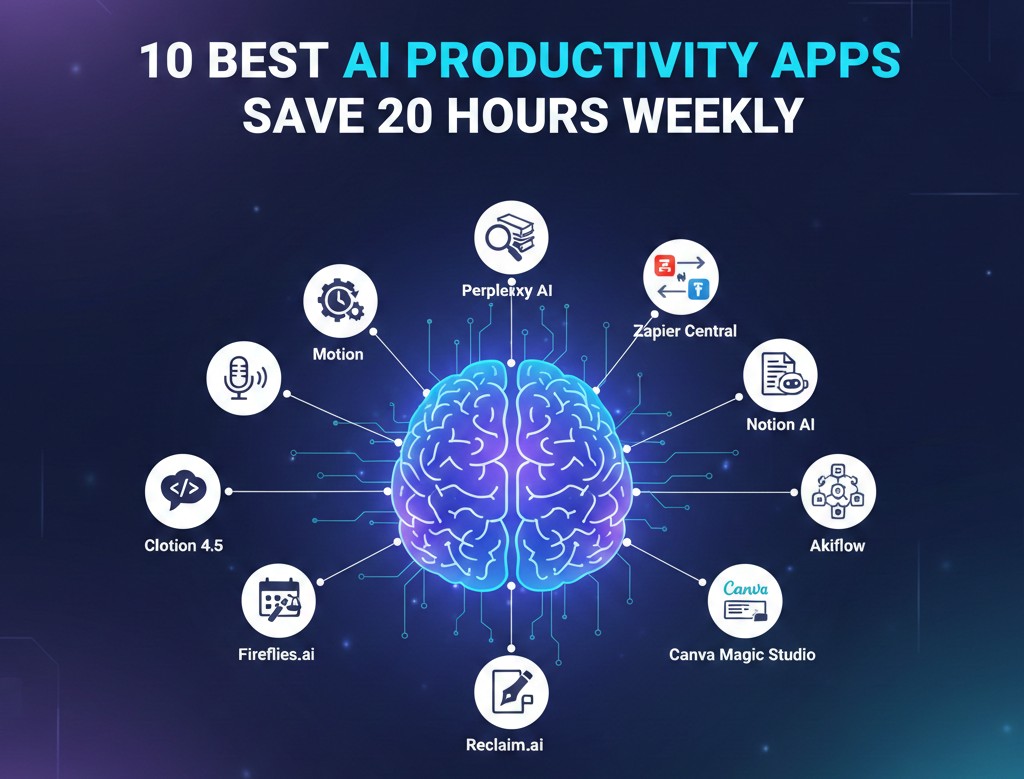
Introduction: The Shift from “Using” AI to “Delegating” to AI
If 2024 was about learning to prompt and 2025 was about integration, then 2026 is officially the year of AI productivity apps that act as autonomous partners. We have moved past the era of simple chatbots. Today, the most effective professionals aren’t just “using” software; they are delegating entire categories of their workday to intelligent systems that can reason, plan, and execute.
The promise of reclaiming 20 hours a week is no longer hyperbole—it is a configuration. By selecting the right stack of AI productivity apps, you can eliminate the “friction of the middle”: those soul-crushing hours spent on manual scheduling, data entry, and email triage. In this guide, we dive into the 15 essential tools currently redefining what it means to be productive in the modern digital landscape.
1. Motion: The Intelligent Calendar Architect
Motion isn’t just a calendar; it’s a strategist. While traditional calendars wait for you to block time, Motion uses AI to automatically build your daily schedule. You simply input your tasks and deadlines, and the app’s “Happiness Algorithm” shuffles them into your available gaps, protecting your focus time and ensuring nothing falls through the cracks.
- Best for: Professionals with chaotic, high-volume schedules.
- Time Saved: 5+ hours/week by eliminating manual planning.
2. Perplexity: The Research Engine for Fact-Checkers
Search engines have evolved. Perplexity functions as an AI research assistant that doesn’t just give you links—it gives you cited, cross-referenced answers. In 2026, its “Deep Research” mode can perform dozens of searches per query, summarizing hours of market research into a 1,300-word report in under three minutes.
- Best for: Writers, researchers, and strategic planners.
- Link: Perfect for finding data to fuel your best digital storytelling tools.
3. Zapier Central: Your Silent Background Workers
Zapier has moved from simple triggers to “Central,” where you can hire AI productivity apps to act as agents. These agents can watch your CRM, understand patterns, and take multi-step actions across 6,000+ apps without you lifting a finger.
- Best for: Operations managers needing marketing automation software without code.
4. Fireflies.ai: The Memory You Wish You Had
Never take another meeting note again. Fireflies.ai joins your Zoom, Teams, or Google Meet calls to record, transcribe, and—most importantly—summarize action items. In 2026, it can even predict project roadblocks based on the tone of your team’s conversation.
- Best for: Project managers and help desk software leads.
5. Notion AI: The Integrated Workspace Brain
Notion has effectively transformed from a note-taking app into an “Operating System for Work.” Its AI can turn messy meeting transcripts into clean SOPs, summarize entire databases, and even suggest project plans based on a single sentence.
- Best for: Knowledge management and scaling small teams using employee management software.
6. Grammarly: The Tone and Clarity Guardian
Grammarly has evolved from a spellchecker into a strategic communication assistant. It analyzes the intent behind your emails, suggesting rewrites that align with your desired tone—whether that’s “Confident” for a sales pitch or “Empathetic” for customer support.
7. Reclaim.ai: The Focus Time Defender
Reclaim is the king of time-blocking. It integrates with your task list and finds the optimal time for “Deep Work.” If a meeting gets booked over your scheduled gym time or project work, Reclaim automatically moves those blocks to the next best available slot.
Comparison: Top 5 AI Productivity Apps by Function
| App | Core Function | Best For | Technical Level |
| Motion | Scheduling | Busy Executives | Beginner |
| Zapier Central | Workflow Automation | Ops Specialists | Intermediate |
| Perplexity | Research | Analysts/Writers | Beginner |
| Fireflies.ai | Meetings | Managers | Beginner |
| Notion AI | Knowledge Org | Teams | Intermediate |
8. Jasper: The Marketing Creative Partner
For teams focused on growth, Jasper is the standard for high-volume content. It doesn’t just write; it remembers your brand voice across every platform. It is a vital tool for those looking to scale their marketing automation software efforts.
9. Cursor: The Developer’s AI Co-Pilot
If your workday involves code, Cursor is a non-negotiable. It is an AI-native code editor that understands your entire codebase, allowing you to ask questions like “Where is the bug in the authentication flow?” and get an instant, accurate fix.
10. Gamma: Instant Presentations and Decks
Forget spending hours on slide layouts. Gamma takes a prompt or a document and generates a visually stunning, responsive presentation in under a minute. It is the fastest way to turn an idea into a pitch deck.
11. SaneBox: The Inbox Zero Savior
SaneBox uses AI to identify high-priority emails and move everything else into a “SaneLater” folder. It trains itself based on your behavior, ensuring that you only see what actually matters during your work hours.
12. Taskade: The Autonomous Project Manager
Taskade features built-in AI agents that can actually manage projects for you. They can break down goals into tasks, assign them to team members, and follow up on progress. It is one of the most comprehensive AI productivity apps for collaborative teams.
13. Shortwave: The Future of Email
Shortwave brings an “agentic” experience to your inbox. It can summarize long threads, draft perfect replies based on your past writing style, and even search your entire email history to answer specific questions.
14. Rewind (Limitless): The Searchable Memory
Limitless (formerly Rewind) records everything you’ve seen, said, or heard on your computer and makes it searchable. If you remember a client mentioning a specific figure three weeks ago but can’t find the note, Limitless will find it for you in seconds.
15. ElevenLabs: The Professional Voice Engine
For businesses producing podcasts, ads, or training videos, ElevenLabs provides studio-quality voice synthesis. It allows you to automate audio content production with human-like emotional depth, perfect for those exploring the best digital storytelling tools.
FAQ: Mastering Your AI Workday
Q: Can I really save 20 hours a week with these apps?
Yes. Most users reach this goal by combining AI productivity apps for different tasks: 5 hours saved on scheduling (Motion), 7 hours on research/writing (Perplexity/Jasper), and 8 hours on meetings/triage (Fireflies/SaneBox).
Q: Are these apps safe for sensitive company data?
In 2026, most enterprise-grade tools offer SOC2 compliance and private data modes. For extreme privacy, especially when managing virtual data rooms, ensure you are using the “Enterprise” tiers which exclude your data from AI training.
Q: Do I need to pay for 15 different subscriptions?
No. The most effective approach is to pick one “Hub” (like Notion or Microsoft 365 Copilot) and then add 2–3 specialized tools (like Motion or Zapier) to fill the gaps.
Q: How do I know if an app is worth the cost?
Calculate your hourly rate. If an app costs $20/month but saves you just 2 hours of work, it has already paid for itself several times over.
Q: Is it hard to set these up?
Most AI productivity apps in 2026 are “plug-and-play.” Many even offer onboarding agents that will walk you through the setup and sync your data for you.
Conclusion: Reclaiming Your Creative Freedom
The goal of AI productivity apps isn’t to turn humans into robots; it’s to stop humans from having to act like robots. By delegating the repetitive, logical, and data-heavy parts of your day to these 15 tools, you free up your mental energy for the things AI still can’t do: strategy, empathy, and high-level creativity.
Whether you attended the AI Summit 2026 or are just starting your journey, the best time to automate your workday was yesterday. The second best time is today.